

What are triggered emails?
Triggered emails are fired by specific actions of site visitors and customers, or by dates and changes in their data. They are the most visible part of the automation of behavioral marketing, but the two are not the same: behavioral email marketing uses behavior data to shape segments and content in all your campaigns, while a trigger is the event that sends one specific message. Triggered emails are effective because they are timely and important to the recipient. Essentially, triggered marketing is based on a series of events.
Trigger emails must be part of your email marketing strategy. Thanks to precise targeting, you build customers’ trust and make sure you don’t leave any money on the table. Automated emails also handle operational tasks, so nobody has to send invoices or confirmation emails one by one. You can be more efficient and use resources wisely.
Triggered emails are often confused with two other kinds of email:
- Blast (batch) emails: one message sent to a whole list or a large segment at a time you choose, like a newsletter or a sale announcement. “Batch and blast” is the shorthand for sending the same email to everyone at once.
- Drip campaigns: a series sent on a fixed schedule after a starting point, for example on days 1, 3 and 7 after sign-up, whatever the person does in between. A triggered flow reacts to each step: if someone buys, the reminders stop.
Triggered emails are used to:
A distinguishing feature of a triggered email is that it isn’t planned as a mass send. It is a reaction to the actions of a specific person.
Triggered emails can contain information about delivery status, birthday wishes, reminders about items left in the basket and more. This method lets you stay in touch with each customer.
First of all, set a goal and develop a strategy around it. Then decide how many emails each flow sends, in what order, and on which days and at what times.
- Attracting new customers;
- Retaining the current customer base;
- Increasing conversions.
What is a triggering event?
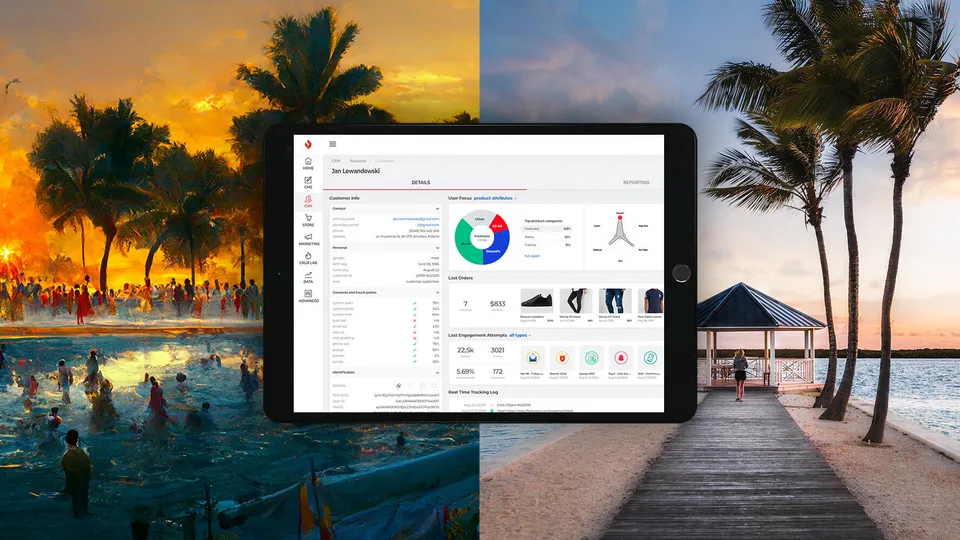
An event-triggered email is a personal email sent to a subscriber because of an event. The triggering event can come from a wide range of customer data, so it’s extremely important to use a unified marketing platform in which the email tools have access to the data in the rest of your marketing stack. That lets you send emails based on purchases on the website, actions in the mobile app or any other data in the stack.
Triggers fall into four groups:
- Actions: a sign-up, a viewed product, an abandoned cart, a click on a specific link, a download, a purchase.
- Inaction: no login for 30 days, no purchase for six months, a form that was started and never finished.
- Dates: a birthday, an account anniversary, the end of a trial, a renewal date, the day a product usually runs out.
- Data changes: a customer moves to a new loyalty tier, a lead score passes a threshold, an item goes back in stock or drops in price.
Technically, a trigger is either an event, something that happened at a given moment (“trial started”), or a property that changed (“plan: trial”). Properties are usually safer to build on: an old “trial started” event doesn’t prove the person is still on a trial, while the current plan does.
Types of triggered emails
Welcome emails. This email is sent immediately after the first contact with the company, for example after registration. Send it within minutes, while the interest is fresh, and use it to say what comes next.
Some triggered emails sell, others reassure recipients that a given process has started or finished. The most common types:
- Inclusion. Sent to people who have subscribed but haven’t created an account.
- Early activation. Sent when customers have created an account but haven’t started their first purchase or used the key feature.
- Reactivation. Your users may stop opening or clicking. After a set period of silence, a triggered win-back email with a reason to return is to the point.
- Remarketing. Your users can leave goods in the basket and forget about them. Your email reminds them of the abandoned shopping cart. Baymard Institute’s average of 50 studies puts cart abandonment at about 70%, so this is usually the flow with the most to recover.
- Browse abandonment. A lighter reminder for people who looked at products without adding them to the cart.
- Back in stock and price drop. Sent when an item someone viewed or saved becomes available again or cheaper.
- Post-purchase. Usage tips, a review request a few days after delivery, and cross-sells that fit what was bought.
- Replenishment. A reminder when a product that runs out, such as coffee, contact lenses or filters, is likely to be finishing.
- Renewal and trial ending. A notice before a subscription renews or a trial ends, with the plan options.
- Personal events and milestones. Show that you take care of your users: congratulations on their birthday, a year with your brand or a new loyalty tier.
- Transactional. These emails contain various types of confirmations: purchase, order, shipment, return, password change.
Why are triggered emails so efficient?
The answer lies in email automation. Automatic, triggered emails send a tailored message to the right person at the right time.
Using automatic emails to get the benefits of personalization may sound paradoxical. But these emails are sent when a specific event on your site launches them, so they feel like personal contact.
Their absence is noticed, too. A missing welcome email may mean that the subscription failed. A customer would also be concerned if they didn’t receive an order confirmation after buying a product. They would wonder what had happened and contact you to check whether the order went through.
The numbers back this up. Omnisend’s 2026 report, based on more than 27 billion emails sent in 2025 by over 150,000 ecommerce brands, found that automated emails were only 2% of sends but generated 30% of email-attributed revenue, about 16 times more per send than scheduled campaigns. The best performers were abandoned cart, welcome and back-in-stock emails. Attributed revenue includes some sales that would have happened anyway, which is why each flow deserves a test of its own (see below).
Why do you need time to turn potential clients into customers?
Most people visiting your website aren’t ready to buy anything yet. They may be browsing because they are bored, or they wanted to buy something but got distracted and left without checking out.
It is also possible that visitors are still comparing your product with the competition’s. You still have a chance to convert them.
Rethink your nurturing strategy to move potential clients along the path. Optimize your emails for shopping cart recovery, or inform recipients about your product. The latter is a tactic that is not entirely “selling”, but valuable: when recipients need your service, they will remember you, because you stayed at the top of their mind, for example as the industry leader.
Timing matters here. Some shoppers come back on their own, so a cart reminder sent in the first minutes adds little, and a discount in the very first email teaches people to abandon carts on purpose. Test the delay, for example one hour against four, and keep any incentive for the second or third email.
How to start personalization with triggered emails?
Before you start designing email flows based on your assumptions, stop for a moment. Think about the client’s journey and the scenarios that you must consider. Ask the right questions when registering new people on your email list, such as their job or age. This information is invaluable when it comes to segmentation.
Then personalize with what the trigger already tells you. An abandoned cart email shows the products left in the cart, a post-purchase email refers to what was bought, and a win-back email can mention the category the customer used to buy. A first name in the greeting adds little: the context of the event is the personalization.
How to set up and schedule a triggered email campaign
The best way to design a triggered campaign is to use block diagrams to visualize the process. It’s easier to digest the information and understand how different scenarios can trigger different messages. Then build each flow in your email or automation tool in this order:
- Goal: one measurable outcome per flow, such as recovered carts, activated trials or second purchases.
- Trigger: the event, date or data change that starts the flow.
- Conditions: who qualifies, for example only carts above $30, or only people who agreed to receive marketing.
- Delay: immediate for confirmations and welcome emails, a tested delay for reminders, sent in the recipient’s time zone.
- Content: the email itself, filled with the data from the trigger and one clear call to action.
- Exit condition: what stops the flow, such as a purchase, a reply or an upgrade, so nobody gets a reminder for something they have already done.
- Frequency cap: a limit on how many automated and campaign emails one person gets per day or week, and a rule for which flow wins when two fire at once.
- Test: send yourself every branch, with a complete profile and an empty one.
Measure each flow against a holdout group, a small random share of qualifying people who don’t get the email. The difference in conversions between the two groups is what the flow really earns. Then test one element at a time: the delay, the subject line, the incentive, or a single email against a series.
Transactional or marketing: the rules for triggered emails
Not every triggered email is transactional in the legal sense. Under the US CAN-SPAM Act, a message is transactional only if its content serves purposes such as completing or confirming a transaction the recipient has already agreed to, or giving warranty, safety or account information. Order confirmations and password resets qualify. An abandoned cart reminder doesn’t, because the purchase hasn’t been agreed to, so it needs everything a promotional email needs, including an opt-out and your postal address.
Mailbox providers draw the same line. Gmail’s sender rules require one-click unsubscribe for marketing and promotional messages, but not for transactional ones such as password resets or booking confirmations. In the EU, marketing triggers also need consent, or the existing-customer exception, for the email itself, and consent for the website tracking that feeds them. Keep the two kinds apart: a receipt that opens with a sale banner can stop being a receipt in the eyes of the law.
Triggered email best practices
Identify the different points of contact and think about how potential customers can interact with your site. When visitors take an action, specify the next desired action. Write the message that encourages the recipient to take that particular step.
This is not an easy task, because the digital buyer’s journey is not linear. Visitors skip your content, subscribe, download a guide, read an article and so on. The amount of information can be overwhelming. That’s when automation becomes useful.
Triggered emails are still a small share of all emails sent. But even a relatively small number of well-thought-out flows can significantly increase the sales generated by email marketing.
Launched flows can run on autopilot and keep generating revenue for a long time. You invest in the initial setup of each email once, and the flow pays it back with every new person who goes through it.
Autopilot isn’t the same as forgetting, though. Review every flow at least twice a year: prices and product names change, links break, and an email written for last year’s offer keeps going out until someone stops it. Add channels where your customers react faster, such as push notifications for app users, and keep email for the messages people want to keep.

 Any questions? Let's talk!
 Write to us,